Skocz do zawartości
Wyświetl w aplikacji

Lepszy sposób przeglądania. Dowiedz się więcej.

Forum o ogrzewaniu

Aplikacja działająca w trybie pełnoekranowym na ekranie głównym, z powiadomieniami push, odznakami i wieloma innymi funkcjami.

Aby zainstalować tę aplikację na iOS i iPadOS
  1. Stuknij ikonę Udostępnij w Safari
  2. Przewiń menu i stuknij Dodaj do ekranu głównego.
  3. Stuknij Dodaj w prawym górnym rogu.
Aby zainstalować tę aplikację na urządzeniu z systemem Android
  1. Kliknij menu z trzema kropkami (⋮) w prawym górnym rogu przeglądarki.
  2. Kliknij Dodaj do ekranu głównego lub Zainstaluj aplikację.
  3. Potwierdź, klikając Zainstaluj.

collector41

Nowy Forumowicz
  • Dołączył

  • Ostatnia wizyta

Treść opublikowana przez collector41

  1. :) your photos look great (sorry for the english but google translate works quite ok) My software is 2.0.136 i think, so very old compared to your release. I am getting the wifi installation soon, and i am told i need more recent software to have it working.
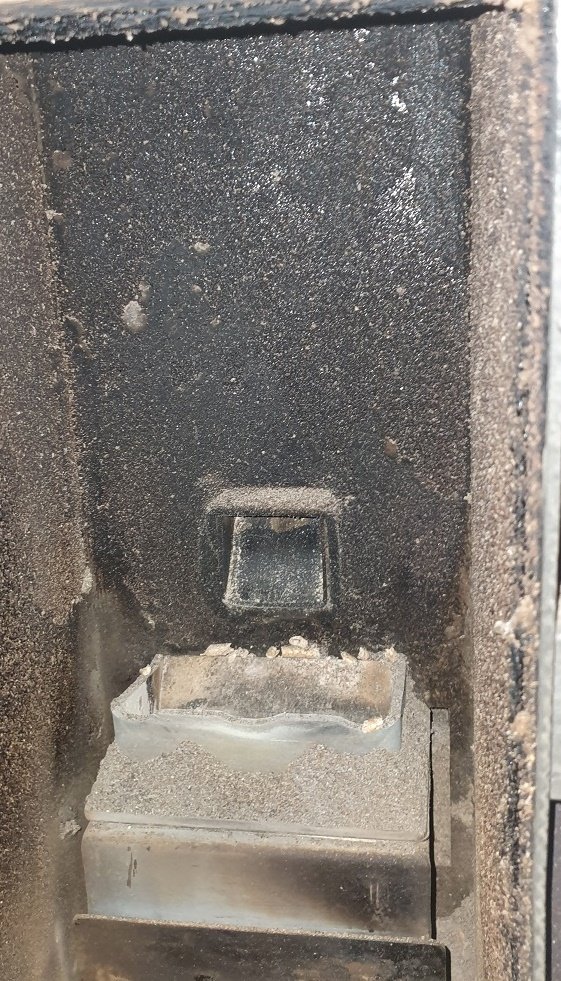
  2. Very nice :) Your inside is totally clean? it is old like mine, i had it since 2018. yours seem almost new there. Translator: Bardzo ładnie :) Twoje wnętrze jest całkowicie czyste? jest stary jak mój, mam go od 2018 roku. twój wydaje się tam prawie nowy. Proszę używać języka forum.
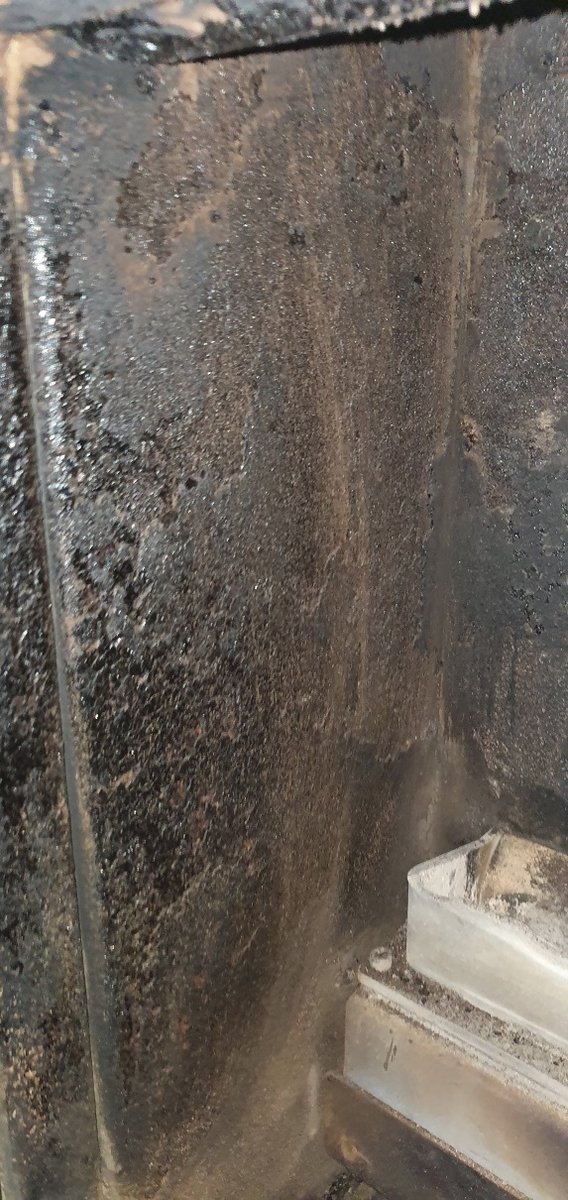
  3. More picture from today, One without cleaning sides, and now one picture of left inside oven. I am told that it could be tar, generated by gasses causing this?
  4. Should i say thanks :) I will try and take more picture next time its empty and cooled down. I am told the back side seems wet, due to it was warm and cooled down, with cold air from pipe?
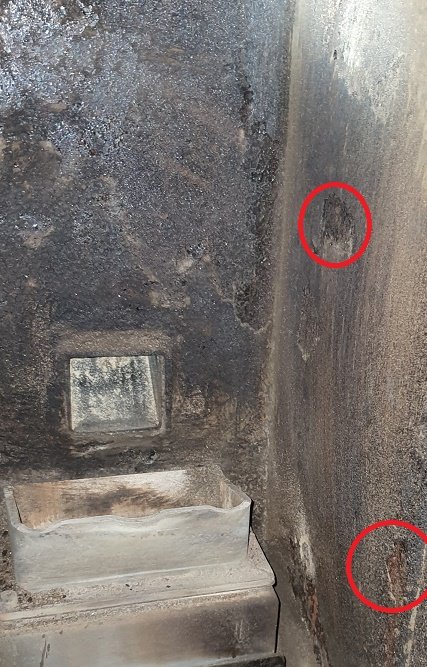
  5. Hi, I have problem with Lidia 25 and when you look at picture i tried to include, you see holes in sides of inside oven. Can someone explain this? It is about 2 years old and i am not sure this is normal or what? See red boxes, those markings in the side looks bad or falling off, i would expect the oven to last more than 2 years?
Konto

Nawigacja

Szukaj

Szukaj

Skonfiguruj powiadomienia push w przeglądarce

Chrome (Android)
  1. Stuknij ikonę kłódki obok paska adresu.
  2. Stuknij Uprawnienia → Powiadomienia.
  3. Dostosuj swoje ustawienie.
Chrome (Komputer)
  1. Kliknij ikonę kłódki na pasku adresu.
  2. Wybierz Ustawienia witryny.
  3. Znajdź Powiadomienia i dostosuj swoje ustawienie.